


You pay for high-speed internet, you’ve invested in a powerful router, but your connection still feels sluggish. You’re experiencing lag during video calls, buffering during streams, and frustratingly slow downloads. Before you blame your internet service provider, it’s time to look at a critical, yet often-overlooked, component of your network: the Ethernet cable.
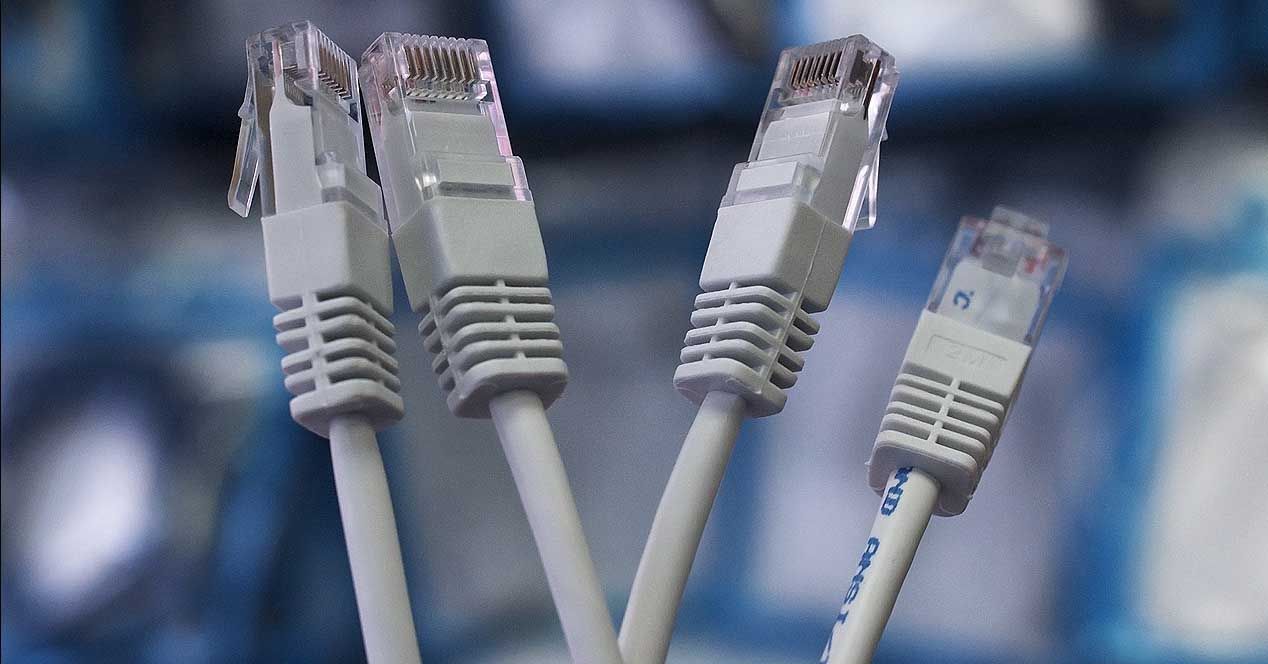
So, can a seemingly simple cable be the bottleneck in your digital life? The answer is an unequivocal and resounding yes.
In This Article:
How an Ethernet Cable Degrades and Causes Slowdowns
An Ethernet cable is more than just a plastic-coated wire; it’s a precisely engineered piece of technology containing multiple twisted pairs of copper conductors. Its performance can be compromised in several ways, both visible and invisible.
Physical Damage
This is the most obvious culprit. Years of being pinched behind furniture, rolled over by an office chair, or sharply bent around a corner can cause significant damage. A broken locking tab might seem minor, but it can lead to a loose connection that constantly drops data packets. A crushed outer jacket can expose the internal wires, making them vulnerable to interference and short-circuiting.
Internal Wear and Tear
Even a cable that looks pristine on the outside can be failing on the inside. Over time, the copper conductors can oxidize, which increases electrical resistance and degrades signal quality. The insulation around the wires can become brittle and crack, reducing its effectiveness and allowing for “crosstalk” between the wire pairs. This internal degradation is a primary reason why a very old cable, even if it has been handled carefully, can fail to deliver modern internet speeds.
Electromagnetic Interference (EMI)
High-quality Ethernet cables are built with shielding and tightly twisted wire pairs to protect the data signal from outside electrical noise. Power cords, fluorescent lights, and large appliances all generate EMI. If a cable’s shielding is damaged, or if it’s a lower-quality Unshielded Twisted Pair (UTP) cable placed in a high-interference environment, the data signal can become corrupted. The result? Your devices have to constantly re-request lost data, dramatically slowing down your effective speed.
Outdated Technology
Not all Ethernet cables are created equal. An old Category 5 (Cat5) cable, which was standard a decade ago, is only rated for speeds up to 100 Mbps. If you have a gigabit internet plan (1,000 Mbps), that Cat5 cable is creating a 900 Mbps bottleneck. Using an outdated cable is like trying to drive a sports car on a narrow dirt road—you’ll never reach its top speed.
Telltale Signs of a Failing Ethernet Cable
If you’re experiencing any of the following issues, your Ethernet cable should be your first suspect:
- Significantly Slower Speeds: Your speed tests on a wired connection are consistently lower than the speeds you pay for, especially when compared to a device connected via Wi-Fi closer to the router.
- Intermittent Connectivity: Your internet connection drops and reconnects randomly without any obvious reason. This is often caused by a loose connection or internal wire damage.
- No Connection at All: The link lights on your computer’s Ethernet port or router fail to light up when the cable is plugged in.
- High Latency (Ping): In online games or on speed tests, you notice an unusually high ping, leading to lag and a non-responsive experience. This can be a sign of data packets being lost and re-transmitted due to a faulty cable.
How to Quickly Diagnose a Faulty Cable
Troubleshooting is simple and requires no special tools. Follow these steps to confirm if your cable is the problem.
Step 1: The Visual Inspection
Examine the entire length of the cable. Look for any obvious signs of damage: severe kinks, frayed spots, a crushed jacket, or exposed wires. Pay close attention to the connector heads (the RJ45 plugs)—are the pins bent or corroded? Is the plastic locking tab broken?
Step 2: The Swap Test
This is the most definitive test. Replace the suspect Ethernet cable with a new, known-good cable of the appropriate category (like a Cat6 or Cat6a). If your speed and stability issues magically disappear, you’ve found your culprit. It’s the simplest and most effective diagnostic you can perform.
Step 3: Check Your Negotiated Link Speed
Your computer’s operating system will tell you the speed at which it’s connected to the router. A healthy gigabit connection should show a link speed of 1.0 Gbps or 1000 Mbps. If it’s showing 100 Mbps, it’s a strong indicator that either your cable is an older Cat5 model or it’s damaged and unable to sustain higher speeds.
Choosing Your Next Cable: Why Quality is Non-Negotiable
When it’s time to replace your cable, choosing a high-quality product is a small investment that pays huge dividends in performance and reliability. At D-Lay Cable, we build our products to exceed standards because we know that the foundation of any great network is a great cable.
Understanding Categories: Cat6, Cat6a, and Beyond
For most homes and offices today, a Category 6 (Cat6) cable is the baseline, supporting speeds up to 10 Gbps over shorter distances. For superior performance and future-proofing, a Category 6a (Cat6a) cable is an excellent choice, as it supports 10 Gbps over longer distances with better protection against crosstalk. For data centers or ultra-high-performance needs, Cat8 is the new frontier.
Conductor Material: 100% Pure Bare Copper is a Must
This is a critical quality differentiator. Low-cost cables often use Copper Clad Aluminum (CCA) conductors. CCA cables are brittle, have higher resistance, and fail to carry a signal as effectively as 100% pure bare copper. All our professional-grade cables are made with pure copper to guarantee maximum signal integrity, speed, and durability.
Shielding: Protecting Your Data
If your cable runs near power lines or other sources of interference, a shielded cable (STP/FTP) is essential. The foil or braid shielding blocks EMI, ensuring a clean, stable signal. For general use, a high-quality Unshielded Twisted Pair (UTP) cable is often sufficient, but choosing a shielded option provides an extra layer of reliability.
Certification and Testing
Look for cables that have been individually tested and certified, such as with a Fluke Pass report. This certification guarantees that the cable meets or exceeds all performance specifications for its category. It’s your assurance that you’re getting a product engineered for performance, not just a commodity wire.
The Final Word: Don’t Let Your Cable Be the Weakest Link
Your Ethernet cable is the physical highway for your data. A damaged, old, or low-quality cable forces that highway down to a single, pothole-ridden lane, causing traffic jams for your data and slowing your entire internet experience.
Upgrading to a high-quality, properly specified Ethernet cable is one of the most cost-effective and impactful improvements you can make to your network. It ensures you get every bit of speed you pay for, providing a stable, fast, and reliable connection for work, streaming, and gaming. Don’t let a simple component undermine your entire network—invest in a quality cable and unlock your internet’s true potential.