


The best Cat 8 Ethernet cable is not determined by a brand name, but by its adherence to strict manufacturing and performance standards. A top-tier Cat 8 cable is defined by its ability to support a bandwidth of up to 2000 MHz and data transfer speeds of 25Gbps or 40Gbps up to 30 meters. The key features to look for are 100% pure bare copper conductors, robust S/FTP (Screened/Foiled Twisted Pair) shielding to eliminate interference, and verifiable performance certification, such as a Fluke test pass. It is specifically designed for high-speed, short-distance connections, primarily in data centers or for performance-critical applications.
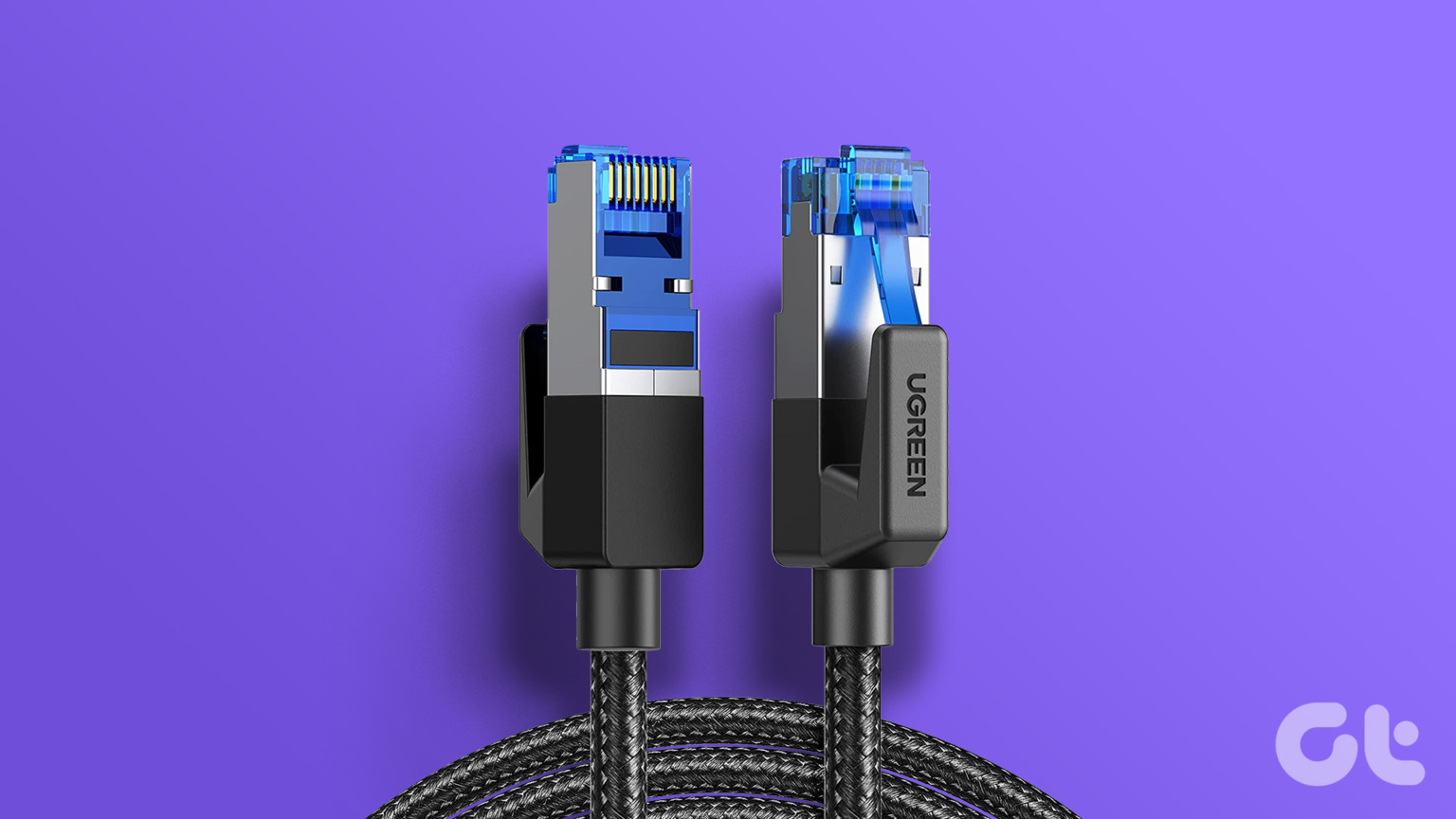
As a leading network cable manufacturer, we at D-Link Cable understand the science and precision behind creating a high-performance cable. While Cat 8 represents the pinnacle of copper Ethernet technology, its value is unlocked only when used in the right environment. dlaycable will walk you through the technical specifications, ideal use cases, and critical quality markers to help you determine if Cat 8 is the best choice for you and how to identify a genuinely high-quality cable.
Table of Contents
- Understanding the Core of Cat 8: What Makes It Different?
- Cat 8 vs. Other Categories: A Head-to-Head Comparison
- So, Do You Actually Need a Cat 8 Ethernet Cable?
- How to Choose the Best Cat 8 Cable: A Buyer’s Checklist
- The D-Link Cable Advantage: Manufacturing Excellence
- Frequently Asked Questions (FAQ)
- Conclusion: Making the Right Connection
Understanding the Core of Cat 8: What Makes It Different?
Category 8, or Cat 8, is a significant leap forward from previous generations like Cat 6a and Cat 7. It was developed by the ANSI/TIA-568-C.2-1 standards body to support 25GBASE-T and 40GBASE-T applications. Its unique capabilities stem from a combination of massive bandwidth, a shorter channel length, and a much more robust construction.
Unprecedented Speed and Bandwidth: 40Gbps at 2000 MHz
The most impressive feature of Cat 8 is its performance ceiling. It is designed to handle a bandwidth of *up to 2000 MHz*—four times that of Cat 6a (500 MHz) and double that of Cat 7 (1000 MHz). This immense bandwidth allows it to transmit data at speeds of up to **40 Gigabits per second (Gbps)**. To put this in perspective, downloading a 50 GB file on a 1Gbps connection would take about 7 minutes. On a 40Gbps connection, it would take a little over 10 seconds. This level of performance is essential for switch-to-switch communications in data centers where massive amounts of data are constantly being moved.
The 30-Meter Channel Limit: A Critical Consideration
Unlike Cat 6a and other predecessors that support a full 100-meter (328-foot) channel, Cat 8’s maximum performance is limited to a **30-meter (98-foot) channel**. This shorter distance is a physical limitation required to maintain signal integrity at such an extremely high frequency of 2000 MHz. Over longer distances, signal degradation (attenuation) becomes too severe, causing errors and speed loss. This 30-meter limit is precisely why Cat 8 is not intended as a general-purpose horizontal cabling solution in offices but is instead specified for “top-of-rack” or “end-of-row” data center architectures.
Mandatory Shielding (S/FTP): The Secret to Its Power
To operate at 2000 MHz without being crippled by interference, Cat 8 cables require incredibly effective shielding. The standard specifies **S/FTP (Screened/Foiled Twisted Pair)** construction. This means that each of the four twisted pairs of copper wires is wrapped in its own foil shield. Then, all four pairs are encased together in an outer, high-density braided screen. This dual-layer shielding virtually eliminates alien crosstalk (AXT) from adjacent cables and protects the signal from electromagnetic interference (EMI) generated by power lines, motors, and other sources. This robust shielding is not optional; it’s a fundamental part of the Cat 8 standard.
Cat 8 vs. Other Categories: A Head-to-Head Comparison
Choosing the right Ethernet cable means matching the cable’s capabilities to your network’s requirements. Over-specifying can be a waste of money, while under-specifying will create a performance bottleneck. Here’s how Cat 8 stacks up against other common categories.
| Feature | Cat 6 | Cat 6A | Cat 7 | Cat 8 |
|---|---|---|---|---|
| Max Speed | 10 Gbps (up to 55m) | 10 Gbps | 10 Gbps (unofficially higher) | 25 Gbps / 40 Gbps |
| Max Bandwidth | 250 MHz | 500 MHz | 600 MHz | 2000 MHz |
| Max Distance | 100 meters (1Gbps) | 100 meters | 100 meters | 30 meters |
| Shielding | Optional (U/UTP or F/UTP) | Optional (U/UTP or F/UTP) | Required (S/FTP) | Required (S/FTP) |
| Connector | RJ45 | RJ45 | GG45/TERA/RJ45 | RJ45 |
| Common Use Case | Home & Small Office 1G Networks | Home, Office, Data Center 10G Networks | Proprietary 10G+ Systems | Data Center 25G/40G Networks |
Cat 8 vs. Cat 7: The Real Upgrade?
Many users are confused about the relationship between Cat 7 and Cat 8. While Cat 7 offers impressive specs, it was never fully ratified as a standard by the TIA/EIA. As a result, it often used proprietary connectors (like GG45 or TERA) to achieve its goals, leading to compatibility issues. **Cat 8, on the other hand, is a fully recognized TIA standard that uses the universal RJ45 connector.** This makes it the true, standardized successor to Cat 6a for future-proofing high-speed networking, rendering Cat 7 largely obsolete for new installations.
Cat 8 vs. Cat 6A: The Practical Choice for Most?
For the vast majority of commercial and high-end residential applications, Cat 6A remains the gold standard. It reliably delivers 10Gbps speeds over the full 100-meter distance, which is more than enough for today’s internet connections, streaming, gaming, and office data needs. Cat 8 should be viewed as a specialized solution. Think of Cat 6A as a high-performance sedan and Cat 8 as a Formula 1 race car—both are fast, but one is designed for everyday roads and the other for the racetrack.
So, Do You *Actually* Need a Cat 8 Ethernet Cable?
This is the most important question. The answer depends entirely on your specific application. Purchasing Cat 8 for a network that doesn’t need it will not magically boost your performance.
The Ideal Use Case: Data Centers and Professional Environments
The primary environment for Cat 8 is the data center. Its 30-meter length and 40Gbps speed are perfect for **server-to-switch** connections within a single rack or row. In these dense, high-interference environments, the superior S/FTP shielding and incredible bandwidth are not just beneficial, they are essential for maintaining the performance of a 25GBASE-T or 40GBASE-T network fabric. Any business planning a data center upgrade or building a new one should consider Cat 8 cabling as a core component of their infrastructure plan.
What About for Home Use? Gaming, Streaming, and Future-Proofing
For the typical home user, **Cat 8 is currently overkill.** Most home internet plans are 1Gbps or less, and even the fastest consumer routers and motherboards top out at 10Gbps ports. Using a Cat 8 cable on a 1Gbps network will not make your internet faster; your speed is capped by your internet plan and your hardware. However, there are exceptions:
- Extreme Enthusiasts: If you have a multi-gig internet connection (2.5G, 5G, or 10G) and a network of high-end devices, such as a Network Attached Storage (NAS) device, a powerful media server, and a PC with a 10G network card, Cat 8 can ensure the most stable connection between these core components.
- Future-Proofing: If you are running cables through walls or in hard-to-reach places, installing a certified Cat 8 cable can be seen as an investment, ensuring you won’t need to re-wire when 25G or 40G consumer technology eventually becomes available.
- Gamers: While it won’t lower your ping (that’s dependent on your ISP and server location), a high-quality shielded Cat 8 cable can provide the most stable, interference-free connection possible, eliminating packet loss that could be caused by local EMI.
How to Choose the Best Cat 8 Cable: A Buyer’s Checklist
Not all cables labeled “Cat 8” are created equal. The market is flooded with low-quality, unverified cables that fail to meet the required specifications. As a manufacturer, we know what separates a true Cat 8 cable from a counterfeit. Here’s what to look for.
Certification is Non-Negotiable: Look for Fluke Testing
A legitimate Cat 8 cable should have its performance **verified by third-party testing**. The industry standard for this is the Fluke Networks DSX-8000 CableAnalyzer. A manufacturer of high-quality cables will provide a “Fluke Passed” test report for their products. This report confirms the cable meets all Cat 8 parameters, including bandwidth, insertion loss, and crosstalk. Do not buy a Cat 8 cable that cannot provide proof of certification.
Conductor Material: 100% Bare Copper vs. CCA
The conductor material is the heart of the cable. The best Ethernet cables use **100% pure bare copper conductors**. Cheaper alternatives use Copper Clad Aluminum (CCA), which is aluminum wire with a thin copper coating. CCA has higher resistance, is more prone to breaking, and performs poorly with Power over Ethernet (PoE) applications as it generates more heat. Always insist on pure bare copper for performance and safety.
Shielding Quality and Construction (S/FTP)
Examine the shielding specification. A true Cat 8 cable must be S/FTP. This means each of the four pairs is individually shielded with foil, and there is an overall braid screen around all the pairs. This robust construction is essential to achieving 2000 MHz performance. Low-quality cables may skip or skimp on this shielding, rendering them incapable of handling Cat 8 speeds in a real-world environment.
Jacket Material: PVC vs. LSZH
The outer jacket protects the cable. The most common material is **PVC (Polyvinyl Chloride)**, which is flexible and durable for general use. For data centers, plenums, and confined spaces, **LSZH (Low Smoke Zero Halogen)** jackets are often required. LSZH jackets emit very little smoke and no toxic halogen compounds when exposed to fire, making them a safer choice for professional installations.
Connector Quality: Gold-Plated Contacts
The RJ45 connector at the end of the cable is a common point of failure. Look for connectors with **50-micron gold-plated contacts**. Gold is highly resistant to corrosion and oxidation, ensuring a clean, reliable, and long-lasting connection. Thinner plating can wear away over time, leading to signal degradation.
The D-Link Cable Advantage: Manufacturing Excellence
At D-Link Cable, we don’t just sell cables; we engineer and manufacture them. Our deep understanding of materials science and signal integrity allows us to produce network cabling that meets and exceeds the most stringent industry standards, including TIA and ISO. We control the entire production process, from sourcing **100% pure bare copper** to precision-twisting the pairs and applying robust S/FTP shielding. Every Cat 8 cable we produce is built to deliver certified 40Gbps performance. Through our OEM/ODM services, we empower businesses worldwide to provide their customers with verifiable, high-quality network infrastructure.
Frequently Asked Questions (FAQ)
Can I use a Cat 8 cable for my PS5, Xbox, or PC for gaming?
Yes, you can. Cat 8 cables are fully backward compatible with all previous Ethernet categories and will work perfectly with your gaming console or PC. While you are unlikely to see a speed boost unless you have a multi-gig network, a well-shielded Cat 8 cable can provide a very stable, interference-free connection.
Is Cat 8 backward compatible?
Absolutely. You can plug a Cat 8 cable into any device with a standard RJ45 Ethernet port (like a router, computer, or smart TV), and it will function at the highest speed supported by that device.
Will a Cat 8 cable increase my internet speed?
No. Your internet speed is determined by the plan you purchase from your Internet Service Provider (ISP). An Ethernet cable is like a highway; a Cat 8 cable is a massive, 40-lane superhighway. If your ISP is only sending you 1 lane of traffic (1Gbps), having 39 empty lanes won’t make that single lane go faster. A high-quality cable ensures you get the full speed you pay for with maximum stability.
What’s the difference between Cat 8.1 and Cat 8.2?
Cat 8.1 and Cat 8.2 are two classes of the Cat 8 standard. Cat 8.1 uses the standard RJ45 connector and is designed to be backward compatible. Cat 8.2 was designed to work with non-RJ45 connectors like TERA or GG45 and is not commonly used. For almost all applications, **Cat 8.1 is the standard you will encounter and need.**
Conclusion: Making the Right Connection
The **best Cat 8 Ethernet cable** is one that is technically sound, verifiably certified, and appropriate for your specific high-demand network. It is the undisputed champion for short-range, 40Gbps data center applications. For home users, it represents the ultimate in future-proofing and signal stability for those who want the absolute best, even if its full potential won’t be tapped for years to come.
When selecting a Cat 8 cable, prioritize verified performance (Fluke testing), quality materials (100% bare copper), and robust S/FTP shielding over brand names or flashy marketing. By understanding what makes a Cat 8 cable powerful—and where that power is best applied— you can make an informed decision that ensures your network is ready for the future of data transfer.