


Yes, your router can almost certainly handle a Cat8 Ethernet cable. Cat8 cables use the same standard RJ45 connector as previous generations like Cat6 and Cat5e, ensuring physical, backward compatibility with virtually any router’s Ethernet port. However, while the cable will connect and your network will function, using a Cat8 cable will not automatically upgrade your network to its maximum 40 Gbps speed. Your actual performance will be limited by the slowest component in your network, which is typically your router’s port speed or your internet service plan.
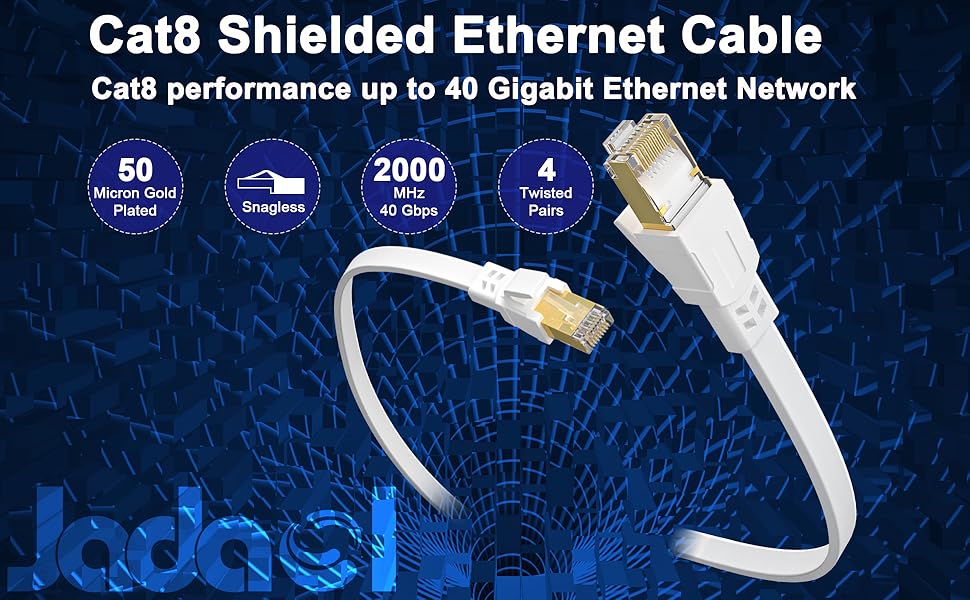
You’ve heard the buzz about Cat8—the fastest, most powerful Ethernet cable on the market. It’s natural to wonder if this simple upgrade can supercharge your home or office network. You want a faster, more reliable connection for gaming, streaming 4K video, or running a business. dlaycable will provide an in-depth, expert look at the relationship between your router and a Cat8 cable. We’ll move beyond the simple “yes” to explore the crucial difference between physical compatibility and actual performance, helping you understand precisely what to expect and what cable is truly right for your needs.
Table of Contents
- What Exactly is a Cat8 Ethernet Cable?
- The Core Question: Compatibility vs. Performance
- How to Identify Your Router’s True Speed Capability
- A Practical Comparison: Cat8 vs. Other Common Cables
- Who Genuinely Benefits from Using Cat8 Cables?
- What is the Best Ethernet Cable for My Home Network?
- The Final Verdict: Should You Connect a Cat8 Cable to Your Router?
What Exactly is a Cat8 Ethernet Cable?
Before we can determine how it interacts with your router, it’s essential to understand what makes a Cat8 Ethernet Cable unique. Category 8 is the latest generation of twisted-pair copper cabling recognized by the IEEE and TIA/EIA. It represents a monumental leap in performance, designed specifically for high-bandwidth, short-distance data transmission, primarily within data centers.
Unpacking the Specs: Speed and Bandwidth
The headline feature of Cat8 is its incredible performance capability. It is engineered to support:
- Speeds up to 40 Gigabits per second (Gbps). This is 40 times faster than the standard 1 Gbps found on most home routers and 4 times faster than the 10 Gbps supported by Cat6a.
- Bandwidth up to 2000 MHz. This is four times the bandwidth of Cat6a (500 MHz). Think of bandwidth as a highway’s number of lanes; a higher MHz means more lanes, allowing more data to travel simultaneously without congestion. This massive bandwidth is what enables the 40 Gbps data rate and significantly reduces latency.
Built for Demanding Environments: Shielding and Durability
To achieve such high frequencies, Cat8 cables require robust construction. They are exclusively S/FTP (Screened/Foiled Twisted Pair). This means each of the four twisted pairs of copper wires is wrapped in a foil shield, and then all four pairs are wrapped in an overall braided screen. This dual-layer shielding is critical for mitigating crosstalk and electromagnetic interference (EMI), especially in the “noisy” electrical environments of data centers where dozens of cables are bundled together.
Understanding the Distance Limitations
The trade-off for this immense speed is distance. A Cat8 cable is designed for a maximum channel length of just 30 meters (approximately 98 feet). This is significantly shorter than the 100-meter (328-foot) limit of Cat6 and Cat6a. This limitation reinforces its intended use for connecting servers, switches, and storage arrays within a single room or rack, not for wiring an entire office or home.
The Core Question: Compatibility vs. Performance
This is where most of the confusion arises. It’s crucial to separate the question of “Will it work?” from “Will I get the advertised speeds?” The answers are very different.
Physical Compatibility: Why the RJ45 Connector is Key
Yes, a Cat8 cable will physically plug into your router. For decades, Ethernet standards have maintained the RJ45 connector as the universal interface. This brilliant piece of engineering ensures backward compatibility across generations. The plug on a state-of-the-art Cat8 cable is identical to the one on a 15-year-old Cat5e cable. You can plug it in, the router will recognize a link, and data will flow. There is *no risk of damage* to your equipment from using a higher-category cable.
Performance Bottlenecks: Why You Probably Won’t Get 40 Gbps Speeds
Your network speed is only as fast as its slowest link. Think of your Cat8 cable as a 16-lane superhighway. If that highway leads to your router, which is a single-lane bridge (a 1 Gbps port), traffic can only cross at the speed of that single lane. The other 15 lanes on the highway go unused.
The most common bottlenecks in a home network include:
- Router Port Speed: The vast majority of consumer routers have 1 Gbps Ethernet ports. Some newer, high-end models may have 2.5 Gbps or 10 Gbps ports, but even these are far below Cat8’s 40 Gbps ceiling.
- Your Internet Plan: If you pay your Internet Service Provider (ISP) for a 500 Mbps plan, you will never get speeds faster than 500 Mbps, no matter what cable you use.
- The End Device: The network card in your computer, gaming console, or smart TV also has a maximum speed, which is typically 1 Gbps.
Simply put, connecting a Cat8 cable to a 1 Gbps router will give you a 1 Gbps connection. While the superior shielding of Cat8 *might* provide a slightly more stable signal in an environment with high EMI, you will not experience a magical jump in speed.
How to Identify Your Router’s True Speed Capability
So, how do you find out the speed of your “bridge”? Knowing your router’s maximum port speed is key to making an informed cabling decision. Here’s how to check.
Checking the Router’s Specifications
The most reliable method is to check the official product page on the manufacturer’s website or the user manual. Look for a “Specifications” or “Technical Details” section. You will see an entry for “Ethernet Ports” or “LAN Ports” that lists the speed, for example, “4 x 10/100/1000 Mbps LAN Ports” or “1 x 2.5 Gbps WAN/LAN Port.” The “1000 Mbps” is the same as 1 Gbps.
Inspecting the Physical Ports
Some router manufacturers use visual cues on the device itself. While not a universal standard, you might find:
- Standard 1 Gbps ports may not have any special color.
- Higher-speed 2.5 Gbps or 10 Gbps ports are often colored differently (e.g., blue or red) or explicitly labeled with “2.5G” or “10G” next to the port.
A Practical Comparison: Cat8 vs. Other Common Cables
To put everything in perspective, let’s compare Cat8 to the other cable categories you’re likely to encounter. This helps clarify where the value lies for different applications.
| Category | Max Speed | Max Bandwidth | Ideal Use Case |
|---|---|---|---|
| Cat5e | 1 Gbps | 100 MHz | Basic home internet, office VoIP phones. Minimum standard for new installations. |
| Cat6 | 1 Gbps (up to 10 Gbps at <55m) | 250 MHz | Excellent for home networks up to 1 Gbps, providing headroom and stability. |
| Cat6a | 10 Gbps | 500 MHz | The sweet spot for future-proofing. Ideal for gamers, content creators, and homes with 1G+ internet. |
| Cat7 | 10 Gbps | 600 MHz | A heavily shielded cable for 10 Gbps networks; largely superseded by Cat6a in popularity and TIA standards. |
| Cat8 | 40 Gbps | 2000 MHz | Data centers and professional environments connecting 40G equipment over short distances. |
Who Genuinely Benefits from Using Cat8 Cables?
If Cat8 is overkill for most home routers, then who is it for? Understanding its intended application is key.
The Intended User: Data Centers and Enterprise Networks
The primary application for Cat8 cabling is in the data center, specifically for what’s known as “top-of-rack” or “end-of-row” connections. These are very short, high-traffic links connecting servers to a network switch within the same rack or an adjacent one. In these environments, transferring massive amounts of data at the highest possible speeds (25GBASE-T or 40GBASE-T) is critical, and the robust shielding of Cat8 is necessary to prevent interference from power cables and other data lines.
Niche Home and ‘Prosumer’ Use Cases
While rare, there is a small and growing segment of home users who can legitimately benefit. This includes video editors, network engineers, or tech enthusiasts with a home lab who have invested in a 10 Gbps (or faster) local network. For example, if you have a Network Attached Storage (NAS) device and a PC, both with 10 Gbps ports, using a high-quality Cat6a or even a short-run Cat8 cable to connect them through a 10G switch can drastically speed up large file transfers between those two devices, independent of your internet speed.
What is the Best Ethernet Cable for My Home Network?
Now for the most practical question: forget the hype and choose the right tool for the job. Here are our expert recommendations based on real-world scenarios.
For Most Users (Internet Speeds up to 1 Gbps)
For the average household with an internet plan up to 1 Gbps, a Cat6 cable is an excellent and cost-effective choice. It easily handles 1 Gbps speeds, provides more than enough bandwidth (250 MHz) to eliminate network congestion, and offers a noticeable improvement in stability over older Cat5e cables. It’s the perfect balance of performance and price for today’s standard networks.
For Gamers and Power Users (1 Gbps to 10 Gbps)
If you’re a competitive gamer, a 4K video streamer, a content creator, or someone who has invested in a multi-gig internet plan (faster than 1 Gbps), then Cat6a is the undisputed champion. It is purpose-built to deliver a reliable 10 Gbps over the full 100-meter distance. It offers all the speed most homes will need for the next decade, making it the smartest choice for future-proofing your network without paying a premium for unnecessary overhead.
When Does Cat8 Make Sense at Home?
You should only consider a Cat8 cable in two specific home scenarios:
- Extreme Future-Proofing: You are a high-end enthusiast who plans to build a 25G or 40G home network and want to pre-wire your home office or media room for it.
- Maximum Signal Integrity: You need a short patch cable (e.g., from your wall plate to your gaming PC) in an area with extreme electrical interference, and you want the absolute best shielding money can buy for the most stable connection possible, regardless of speed.
The Final Verdict: Should You Connect a Cat8 Cable to Your Router?
So, can your router handle a Cat8 cable? Yes, it can. It’s physically compatible, safe to use, and will establish a network connection. However, it will not magically boost your internet speed. Performance will still be dictated by your router’s ports, your ISP plan, and your connected devices.
For the vast majority of home and even small business applications, purchasing a Cat8 cable for your main router connection is an unnecessary expense. The real-world performance will be identical to that of a high-quality Cat6a cable, which is designed for the 10 Gbps speeds that are becoming the next-generation standard for high-end consumer hardware.
The smarter investment is to identify your network’s actual capability and buy the appropriate, high-quality cable to match it. Whether you need a reliable Cat6 cable for a solid 1 Gbps connection, a future-proof Cat6a cable for your 10G ambitions, or a specialized short-run Cat8 for a professional setup, choosing a certified cable from a trusted supplier like DLAY Cable ensures you get the performance and reliability you’re paying for. Don’t pay for a superhighway when you only need a main street—invest wisely and build a network that’s perfect for you.