


In the world of networking, a stable and fast connection is everything. Whether you’re setting up a home office, a gaming station, or a complex enterprise network, the physical cables you use are the bedrock of your system’s performance. As experts in high-performance cabling at DLAY Cable, a common question we encounter is about the physical limits of a network run. Specifically, customers often ask: “How long can a Cat5 Ethernet cable actually be before it causes problems?”
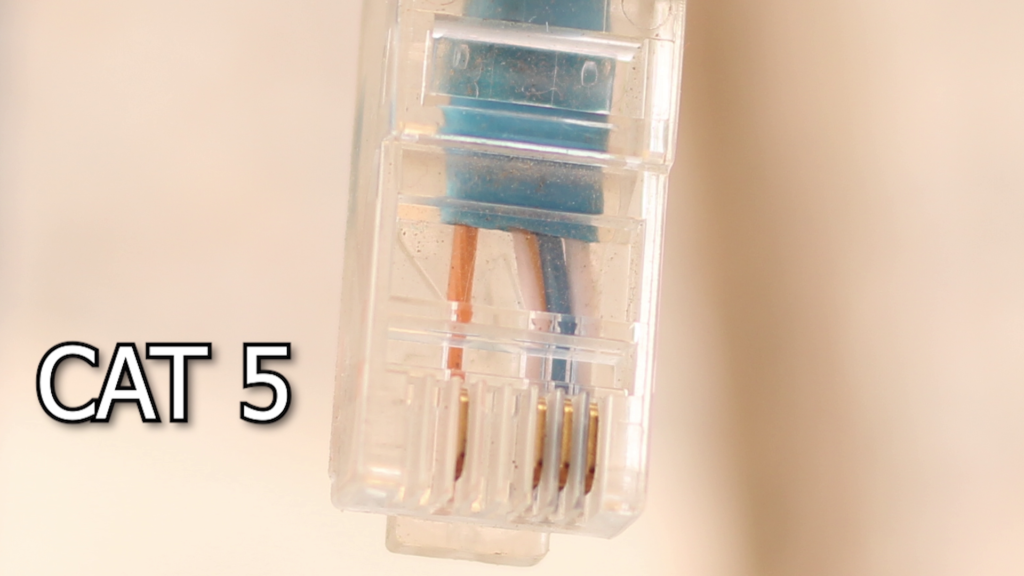
While Cat5 has largely been succeeded by newer standards, understanding its limitations is fundamental to understanding network cabling in general. Let’s dive into the definitive answer, the reasons behind it, and what you should do for your modern networking needs.
Article Contents
- The Straightforward Answer: The 100-Meter Rule
- Why 100 Meters? Understanding the TIA/EIA Standard
- The 90/10 Rule: Not All Meters Are Created Equal
- What Happens if You Exceed 100 Meters?
- Moving Beyond Cat5: Why Cat6 is the Modern Standard
- Need to Go Further? Solutions for Exceeding the Limit
- Beyond Length: Why Cable Quality is Crucial
- Conclusion: Choosing the Right Cable for Reliable Performance
The Straightforward Answer: The 100-Meter Rule
The maximum recommended and certified length for a single Cat5 or Cat5e Ethernet cable run is 100 meters (or 328 feet). This is not an arbitrary number; it’s a global standard designed to guarantee performance, speed, and reliability across all certified devices and cabling.
Any run longer than 100 meters is considered non-standard and is not guaranteed to deliver the expected speeds or even maintain a stable connection.
Why 100 Meters? Understanding the TIA/EIA Standard
This 100-meter limit is defined by the TIA/EIA-568 family of standards, which govern telecommunications cabling in commercial buildings. These standards are meticulously engineered to account for several physical phenomena that affect data signals traveling over copper wire:
- Attenuation: This is the natural weakening of a signal as it travels over a distance. After 100 meters, a Cat5 signal can become too weak for the receiving device to interpret it correctly.
- Crosstalk: In an Ethernet cable, multiple twisted pairs of wires are bundled together. Crosstalk occurs when the signal from one pair bleeds over and interferes with the signal on an adjacent pair. The standards, including the precise twists in the wires, are designed to minimize this effect within the 100-meter range.
- Propagation Delay & Skew: These relate to the time it takes for a signal to travel down the cable. Over longer distances, timing differences between the wire pairs (delay skew) can cause the data packets to become jumbled and unreadable.
By adhering to the 100-meter standard, you ensure that your network operates within the physical tolerances where these issues are managed and performance is guaranteed.
The 90/10 Rule: Not All Meters Are Created Equal
For network professionals and installers, the 100-meter rule is broken down even further into the “90/10 Rule” for permanent installations. This provides a more detailed picture of a standard network channel:
- 90 Meters of Permanent Link: This refers to the solid-core cable installed inside walls, ceilings, and conduits. This “backbone” cable should not exceed 90 meters. Solid-core cables are ideal for long, static runs as they have lower attenuation.
- 10 Meters of Patch Cables: This allocates a total of 10 meters for the flexible, stranded-core patch cables used at both ends of the run—for example, from the wall plate to your computer and from the patch panel to the switch. Stranded cables are more flexible and durable for frequent plugging and unplugging but have slightly higher attenuation.
At DLAY Cable, our bulk solid-core cables are designed for these permanent links, while our pre-made patch cords are perfect for completing the channel with reliability.
What Happens if You Exceed 100 Meters?
Pushing a cable beyond its 328-foot limit is a gamble that rarely pays off. You will likely experience a range of frustrating issues, including:
- Reduced Speeds: The first and most common symptom. Your 100 Mbps or 1 Gbps connection may drop to a fraction of its capacity or become highly erratic.
- Packet Loss: The receiving end may not get all the data sent, leading to constant retransmissions. This cripples application performance, causing buffering in videos, lag in games, and slow file transfers.
- Intermittent or Dropped Connections: The link may fail to establish or randomly disconnect, leading to significant network instability.
- Complete Connection Failure: For significantly longer runs, the signal will be too degraded to establish any connection at all.
Moving Beyond Cat5: Why Cat6 is the Modern Standard
While the 100-meter rule applies to Cat5, it’s important to note that Cat5 cable itself is obsolete. Its successor, Cat5e (“e” for enhanced), supports Gigabit speeds (1000 Mbps), but for any new installation today, we strongly recommend at least Cat6 cable.
Here’s why Cat6 and newer standards are superior, even within the same 100-meter length:
- Higher Bandwidth: Cat6 supports 250 MHz bandwidth (compared to 100 MHz for Cat5e), allowing for more data to be transmitted simultaneously and reducing congestion.
- Better Crosstalk Protection: Cat6 cables are more tightly wound and often include a plastic spline separating the pairs, drastically reducing interference and ensuring a more stable signal.
- Future-Proofing: Cat6 can support speeds up to 10 Gbps over shorter distances (up to 55 meters), making it a much better investment for the demands of modern and future applications. For guaranteed 10 Gbps up to 100 meters, Cat6A is the required standard.
Need to Go Further? Solutions for Exceeding the Limit
If your project requires a network connection longer than 100 meters, do not simply use a longer Ethernet cable. Instead, use one of these industry-approved methods:
- Network Switch or Repeater: The simplest solution is to place an active network device, like a switch, in the middle of the run. This receives the signal, regenerates it to full strength, and sends it on for another 100 meters.
- Fiber Optic Cable: For very long distances (hundreds or thousands of meters), fiber optic cable is the ultimate solution. It transmits data using light and is completely immune to electromagnetic interference (EMI) and has vastly higher bandwidth capabilities. At DLAY Cable, we offer a full range of fiber optic solutions for these demanding scenarios.
Beyond Length: Why Cable Quality is Crucial
Even a cable that is well within the 100-meter limit can fail if its quality is poor. As a manufacturer committed to excellence, we can’t stress this enough. The biggest factor here is the conductor material:
- Pure Bare Copper (The DLAY Standard): All our cables use 100% pure copper conductors. Copper offers superior conductivity, dissipates less heat, and has higher tensile strength, ensuring a reliable, long-lasting, and standards-compliant connection.
- Copper Clad Aluminum (CCA – Avoid!): Cheaper, low-quality cables often use aluminum wires with a thin copper coating. CCA cables are brittle, have higher resistance (leading to more data loss and heat buildup), and are not compliant with TIA standards. They are the primary cause of underperforming networks.
Always ensure your cable is made from pure bare copper to guarantee you get the performance you paid for.
Conclusion: Choosing the Right Cable for Reliable Performance
To summarize, the maximum length for a Cat5/5e/6 Ethernet cable run is 100 meters (328 feet). This standard exists to guarantee reliable performance by controlling for signal degradation and crosstalk.
For any new installation, we recommend using at least Cat6 pure copper cable to meet the demands of modern high-speed networking. If you need to span a distance greater than 100 meters, you must use a network switch to regenerate the signal or upgrade to a superior long-distance solution like fiber optic cable.
Your network is only as strong as its weakest link. For guaranteed performance, unmatched quality, and expert advice on your specific cabling needs, trust the professionals at DLAY Cable. Explore our range of certified, high-performance Ethernet cables today and build a network you can rely on.