


The best cables for server rooms include Cat6a for 10Gbps connections, Cat8 for 40Gbps links, and multi-mode fiber for high-speed backbones and interconnects.
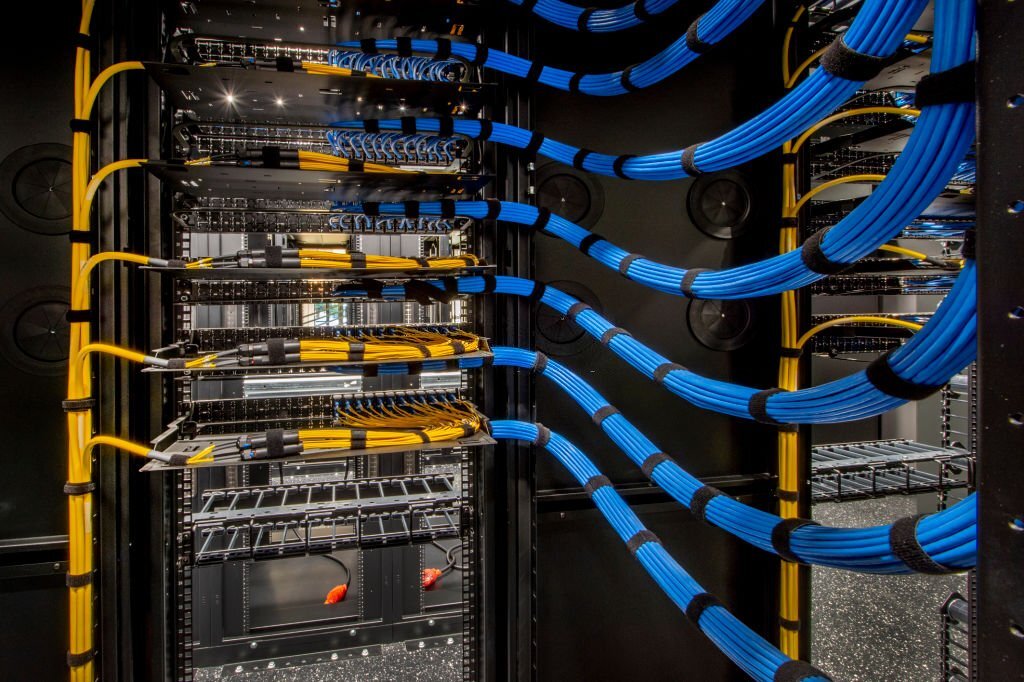
Table of Contents
- The Foundation: Why Choosing the Correct Cabling Matters
- Essential Copper Cabling for Server Connectivity
- Leveraging Fiber Optic Cabling for Superior Performance
- Critical Factors in Your Cable Selection Process
- Best Practices for Server Room Cable Management
The Foundation: Why Choosing the Correct Cabling Matters
The cabling in a server room or data center is the central nervous system of your IT infrastructure. The choice of cables directly impacts network performance, reliability, and future scalability. Subpar cabling can lead to data transmission errors, network downtime, and costly troubleshooting. A well-planned cabling strategy ensures maximum uptime, simplifies maintenance, and provides a clear path for future upgrades without requiring a complete overhaul.
Furthermore, proper cabling affects the physical environment of the server room. Organized, high-quality cables contribute to better airflow, which is critical for efficient cooling and preventing equipment from overheating. Investing in the right cabling from the outset is an investment in the long-term health and efficiency of your entire network operation.
Essential Copper Cabling for Server Connectivity
Copper Ethernet cables remain a fundamental component for connecting servers, switches, and storage devices within a server rack. The selection depends heavily on the required data rates and the density of the environment. The most common and recommended categories for modern server rooms are Cat6a and Cat8.
Category 6A (Cat6a): The Modern Standard
Category 6A (Cat6a) is the recommended baseline for new server room installations. It supports data rates of 10 Gigabits per second (Gbps) up to a distance of 100 meters (328 feet), providing ample performance for most server-to-switch connections. Its 500 MHz bandwidth is a significant improvement over its predecessor, Cat6, making it more resilient to interference.
In dense server rack environments, interference known as *Alien Crosstalk (ANEXT)* can degrade signal quality. Cat6a cables, particularly shielded variants, are specifically designed to mitigate this issue. For mission-critical applications, choosing a high-quality shielded Cat6a cable, such as those engineered by DLAycable, ensures stable, error-free 10G performance even in the most demanding settings.
Category 8 (Cat8): For High-Speed, Short-Reach Links
Category 8 (Cat8) represents the cutting edge of copper cabling technology. It is designed for high-speed, short-distance links within a data center, supporting 25 Gbps or even 40 Gbps over distances up to 30 meters (98 feet). This makes Cat8 an ideal choice for Top-of-Rack (ToR) or Middle-of-Row (MoR) architectures where servers connect to a nearby switch.
Due to its extremely high bandwidth of 2000 MHz, Cat8 cabling is always shielded to protect against electromagnetic interference (EMI). Its primary use case is connecting high-performance servers directly to access switches, effectively replacing more expensive fiber optic solutions for short-reach 25G/40G links. This can provide a significant cost-saving while delivering next-generation speeds.
Comparing Copper Cable Categories
Understanding the differences between the primary copper cable types is crucial for making an informed decision. The table below outlines the key specifications for each category.
| Feature | Category 6 (Cat6) | Category 6A (Cat6a) | Category 8 (Cat8) |
|---|---|---|---|
| Max Data Rate | 1 Gbps (10 Gbps < 55m) | 10 Gbps | 25 / 40 Gbps |
| Max Bandwidth | 250 MHz | 500 MHz | 2000 MHz |
| Max Distance | 100 meters | 100 meters | 30 meters |
| Recommended Use | Legacy 1G connections, VoIP | Server-to-switch, backbone | High-speed switch-to-server (ToR) |
Leveraging Fiber Optic Cabling for Superior Performance
When distance, bandwidth, or EMI immunity are primary concerns, fiber optic cabling is the superior choice. Fiber transmits data using light pulses, making it completely immune to electrical interference and capable of carrying massive amounts of data over vast distances. It is essential for backbone connections, switch-to-switch uplinks, and connecting different parts of a large data center.
Multi-Mode Fiber (MMF): The Data Center Workhorse
Multi-Mode Fiber (MMF) has a larger core diameter that allows multiple modes of light to travel simultaneously. This makes it ideal for high-bandwidth applications over shorter distances, typical of a server room environment. Common MMF types include OM3, OM4, and OM5, which are optimized for different speeds and distances.
OM4 is often the preferred choice for modern data centers, supporting 40G and 100G Ethernet over distances of up to 150 meters. OM5, also known as wideband multi-mode fiber, is designed to support Short Wavelength Division Multiplexing (SWDM), which allows for even higher speeds over a single fiber pair. DLAycable offers a comprehensive range of MMF patch cords, including OM4 and OM5, factory-terminated and tested to ensure peak performance for your critical network links.
Single-Mode Fiber (SMF): The Long-Haul Champion
Single-Mode Fiber (SMF) features a much smaller core that allows only a single mode of light to propagate. This minimizes signal distortion and allows data to travel over extremely long distances—many kilometers—without significant loss. Within a data center, SMF is primarily used for connecting different buildings on a campus or linking the facility to an external telecommunications provider.
What are DAC and AOC Solutions?
For high-speed, in-rack connectivity, Direct Attach Copper (DAC) and Active Optical Cables (AOC) are excellent plug-and-play solutions. DACs are fixed-length copper cables with pre-attached transceivers, offering a cost-effective way to connect servers to switches at 10G, 25G, or higher within the same rack. AOCs serve a similar purpose but use fiber optic technology, allowing for longer reach (up to 100 meters) and a lighter, more flexible cable, which can improve airflow.
Critical Factors in Your Cable Selection Process
Choosing the right cable involves more than just picking the fastest category. Several technical and environmental factors must be considered to ensure a reliable and compliant installation.
Assessing Bandwidth and Speed Requirements
Evaluate both your current and future needs. While 10 Gbps (via Cat6a) might be sufficient today, planning for a future migration to 25 Gbps or 40 Gbps is wise. Analyzing your application workloads, storage traffic, and server virtualization density will help determine the necessary bandwidth for both server access links and network backbone uplinks.
The Importance of Cable Shielding (STP vs. UTP)
Copper cables come in two main types: Unshielded Twisted Pair (UTP) and Shielded Twisted Pair (STP). While UTP is common for general office use, the dense and high-power environment of a server room makes STP the recommended choice. The foil or braid shield in an STP cable provides crucial protection against EMI and ANEXT from power cords, fans, and adjacent data cables, preserving signal integrity for high-speed transmissions.
Jacket Ratings: Plenum (CMP) vs. Riser (CMR)
Cable jackets have fire-resistance ratings that are mandated by building codes. Plenum (CMP) rated cables are designed for use in plenum spaces—the areas used for air circulation, such as above a drop ceiling or under a raised floor. They are made of low-smoke, fire-retardant materials. Riser (CMR) rated cables are designed for vertical runs between floors in non-plenum spaces. Using the correct jacket type is a matter of safety and regulatory compliance.
Planning for Scalability and Future-Proofing
Installing cabling is a labor-intensive process. To avoid repeated costs and disruption, it is highly advisable to install cabling that exceeds your current performance requirements. For example, installing Cat6a or OM4 fiber today provides a clear and simple upgrade path to higher speeds in the future without the need to replace the physical cable infrastructure.
Best Practices for Server Room Cable Management
The performance of even the best cables can be compromised by poor installation and management. Adhering to best practices ensures a clean, efficient, and maintainable environment.
Structured Cabling Principles
Implement a structured cabling system using patch panels, horizontal cable managers, and vertical managers. This approach centralizes connections, making it easy to perform moves, adds, and changes without disturbing other active links. It creates a clean and organized rack layout that is simple to troubleshoot.
Color-Coding and Labeling
Use different colored cables to distinguish between different functions, such as production traffic, management networks, and storage area networks (SANs). Combine this with a clear and consistent labeling scheme on both ends of every cable. This simple practice dramatically reduces human error and speeds up maintenance tasks.
Ensuring Proper Airflow
Cable clutter is a major impediment to proper airflow and cooling. Use cables of the appropriate length to eliminate excess slack that can block air vents and server fans. DLAycable offers a wide array of standard and custom-length patch cords, allowing you to create a tidy installation that optimizes cooling efficiency and lowers energy consumption. Bundling cables neatly in managers keeps pathways clear for both air and technicians.
Ultimately, selecting the right cables is a strategic decision that underpins the performance and reliability of your entire IT operation. By choosing high-quality, standards-compliant copper and fiber optic cables tailored to your specific speed, distance, and environmental needs, you build a robust foundation capable of supporting your organization’s data demands both today and into the future.