


Gigabit Ethernet requires at least a Category 5e (Cat5e) cable, but Cat6 or Cat6a cables are recommended for optimal performance and future-proofing your network.
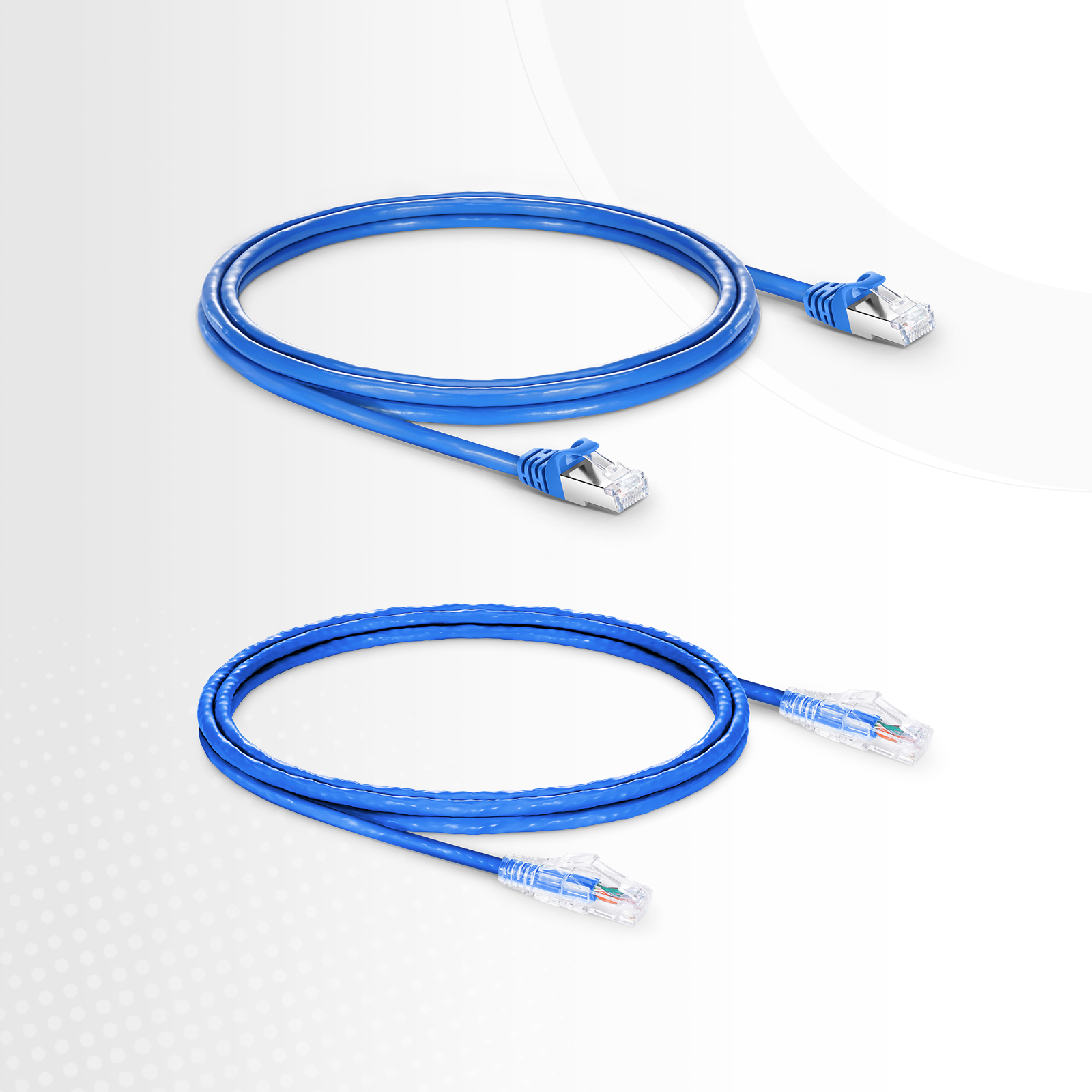
Table of Contents
- What Defines a Gigabit Ethernet Cable?
- Which Ethernet Cable Categories Support Gigabit Speeds?
- How to Select the Ideal Cable for Your Needs?
- Answering Common Questions About Network Cables
- Why Quality and Certification Are Non-Negotiable
What Defines a Gigabit Ethernet Cable?
Achieving gigabit speeds—specifically 1 Gigabit per second (Gbps) or 1,000 Megabits per second (Mbps)—is the modern standard for fast, reliable wired networks. The cable used to transmit this data is the physical foundation of your network’s performance. A “Gigabit Ethernet cable” is not a single type but rather a classification for any network cable capable of supporting this data rate. The two critical factors that determine this capability are data transfer speed and bandwidth.
It’s important to distinguish between speed and bandwidth. Speed refers to how fast data can travel, measured in Mbps or Gbps. Bandwidth, measured in megahertz (MHz), refers to the frequency range a cable can support, essentially its capacity to handle data simultaneously. Higher bandwidth reduces congestion and crosstalk (interference between wire pairs), allowing for more stable and consistent speeds, especially over longer distances.
Which Ethernet Cable Categories Support Gigabit Speeds?
Ethernet cables are categorized by the Telecommunications Industry Association (TIA) and International Organization for Standardization (ISO). Each higher category represents stricter performance standards, particularly concerning bandwidth and crosstalk resistance. For gigabit connectivity, your selection starts with Cat5e.
Cat5e: The Baseline for Gigabit Connectivity
Category 5e (the ‘e’ stands for enhanced) was the first standard designed to reliably support 1 Gbps speeds over distances up to 100 meters (328 feet). It operates at a bandwidth of 100 MHz. For most home internet connections and small office setups, a well-constructed Cat5e cable is perfectly adequate for achieving full gigabit performance. However, it offers less headroom for future speed increases and is more susceptible to crosstalk compared to newer categories.
Cat6: The Recommended Standard for Performance
Category 6 is the current sweet spot for price and performance. It supports 1 Gbps speeds up to 100 meters and can even handle 10 Gbps speeds over shorter distances (typically up to 55 meters). The key improvement is its higher bandwidth of 250 MHz. This is achieved through tighter wire twists and often a plastic spline running through the center of the cable, which separates the wire pairs to reduce interference. This robust construction makes Cat6 a more reliable choice for environments with potential electronic interference and provides a buffer for future network demands.
Cat6a: Future-Proofing for 10-Gigabit Speeds
Category 6a (‘a’ for augmented) is a significant step up. It is specifically designed to support faster 10 Gbps speeds over the full 100-meter distance. It achieves this with a bandwidth of 500 MHz and more robust construction, including thicker jackets and improved shielding to virtually eliminate alien crosstalk (interference from adjacent cables). If you are setting up a network in a new building, data center, or any environment where you anticipate needing multi-gigabit speeds in the future, Cat6a is the most practical and forward-thinking investment.
Cat7 and Cat8: For Specialized, High-Demand Environments
Category 7 and Category 8 cables are built for extremely high-performance applications, typically found in data centers or professional settings. Cat7 offers 600 MHz bandwidth and supports 10 Gbps, but its proprietary connector type (GG45) has limited its adoption. Cat8 is the powerhouse, supporting speeds of 25 Gbps or even 40 Gbps over short distances (up to 30 meters) with a massive bandwidth of 2,000 MHz. For residential or typical office use, these categories are considered overkill.
| Category | Max Speed (at 100m) | Bandwidth | Recommended Use Case |
|---|---|---|---|
| Cat5e | 1 Gbps | 100 MHz | Basic home and small office gigabit networks. |
| Cat6 | 1 Gbps (10 Gbps < 55m) | 250 MHz | Standard for new installations; gaming, streaming, and professional offices. |
| Cat6a | 10 Gbps | 500 MHz | Future-proofing, data centers, and networks with high interference. |
| Cat8 | 25/40 Gbps (< 30m) | 2,000 MHz | High-end data centers and server-to-server connections. |
How to Select the Ideal Cable for Your Needs?
Beyond the category rating, several physical attributes of a cable influence its performance and suitability for a specific environment. Understanding these factors ensures you are not just buying a cable that works, but one that works optimally and reliably for years.
Shielding Explained: UTP vs. STP/FTP
Shielding protects the cable’s data signals from electromagnetic interference (EMI), often generated by power lines, fluorescent lights, and heavy machinery.
- UTP (Unshielded Twisted Pair): This is the most common type of Ethernet cable. The twisted pairs of wires provide sufficient protection against crosstalk for most home and office environments. They are flexible, affordable, and easy to install.
- STP/FTP (Shielded/Foiled Twisted Pair): These cables include a layer of foil or braided metal shielding around the wire pairs. This added protection is crucial in environments with high EMI, such as factories, hospitals, or near high-power electrical equipment. Shielded cables are generally thicker, less flexible, and require compatible shielded connectors and jacks to be effective.
Conductor Quality: Solid vs. Stranded and Pure Copper
The material and structure of the internal wires are critical for signal integrity.
- Solid vs. Stranded: Solid conductors consist of a single, solid piece of copper per wire. They offer superior electrical performance and are ideal for long, in-wall cable runs (bulk cabling). Stranded conductors are made of multiple, smaller strands of wire twisted together. This makes them more flexible and durable for repeated bending, making them perfect for shorter patch cords that connect devices to a wall outlet.
- Pure Copper vs. CCA: Always choose cables made with 100% pure bare copper conductors. Cheaper alternatives, like Copper Clad Aluminum (CCA), use an aluminum core coated with a thin layer of copper. CCA cables have higher resistance, are more prone to breaking, and generate more heat. They do not comply with TIA standards and can lead to significant performance degradation and network failures.
For mission-critical applications, sourcing from a reputable manufacturer is paramount. D-Lay Cable provides a comprehensive range of network cables, from Cat5e to Cat8, all constructed with 100% pure copper conductors and backed by certifications like UL, ETL, and RoHS, ensuring your network’s reliability and performance.
The Impact of Cable Length on Performance
Ethernet standards specify a maximum channel length of 100 meters (328 feet). Beyond this distance, a phenomenon called attenuation, or signal loss, begins to degrade performance significantly, leading to dropped packets and reduced speeds. For best results, use a cable length that is appropriate for the connection without excessive slack, as coiling long cables can sometimes introduce interference.
Answering Common Questions About Network Cables
Navigating the world of network cables often brings up recurring questions. Addressing these common points can help clarify your choices and set realistic expectations for network performance.
Will a better cable increase my internet speed?
Not directly. Your internet speed is determined by the plan you purchase from your Internet Service Provider (ISP). However, an old or low-quality cable (like Cat5 or a damaged Cat5e) can act as a bottleneck, preventing you from achieving the full speed you pay for. Upgrading from Cat5e to Cat6 won’t make a 500 Mbps plan run at 1 Gbps, but it will ensure your 1 Gbps plan actually delivers 1 Gbps to your device reliably.
Are more expensive Ethernet cables worth it?
Price often correlates with quality of materials and construction. An expensive cable is not inherently better because of its price, but it is more likely to use pure copper conductors, have better shielding, and be certified by safety and performance standards (like UL or ETL). These factors contribute to long-term reliability and consistent performance. A cheap, uncertified CCA cable is a risk that is often not worth the small initial savings.
What is the difference between a patch cable and a bulk cable?
A patch cable is a short-length cable (e.g., 1-10 meters) with connectors already installed on both ends. It is designed to connect a device (like a computer) to a wall plate or a switch to a patch panel. They typically use stranded conductors for flexibility. A bulk cable comes in a large spool or box (e.g., 1000 feet) without connectors. It is used for permanent installations inside walls and ceilings and features solid conductors for better long-distance signal integrity. You must terminate bulk cable runs with jacks or plugs yourself.
Why Quality and Certification Are Non-Negotiable
When selecting a cable, look for certifications printed on the jacket. Marks from organizations like UL (Underwriters Laboratories) or ETL (Intertek) verify that the cable has been tested to meet safety and performance standards. Similarly, a RoHS (Restriction of Hazardous Substances) compliance mark indicates the cable is free from specific hazardous materials, making it safer for both users and the environment.
These certifications are a direct indicator of a manufacturer’s commitment to quality. Uncertified cables may fail to deliver the advertised speeds, pose a fire hazard (especially with Power over Ethernet applications), and degrade quickly over time. Investing in a high-quality, certified cable from a trusted supplier like D-Lay Cable is the most effective way to guarantee a stable, secure, and high-performance network infrastructure that can support your data needs today and into the future.