


What Is the Best Ethernet Cable for Long Distance? A Comprehensive 2024 Guide
The best Ethernet cable for long-distance runs up to the industry standard of 100 meters (328 feet) is Cat6a, offering a superb balance of 10Gbps speed and robust shielding against interference. For any distance that surpasses this 100-meter limit, the definitive and most reliable solution is fiber optic cable, which can transmit data over many kilometers without signal degradation. Understanding this fundamental distance limitation is the first step in selecting the right cable for your network’s performance and stability.
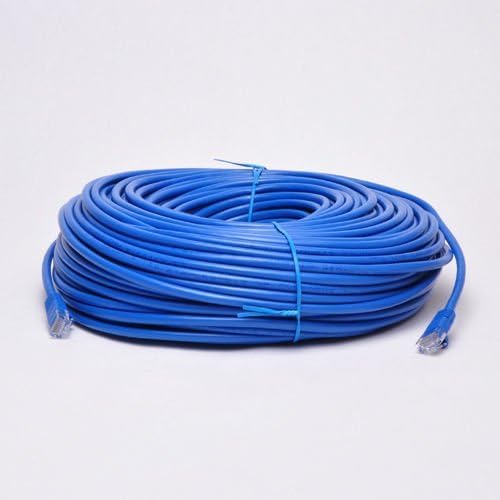
Choosing the correct cable isn’t just about reaching a distant port; it’s about ensuring a consistent, high-speed, and error-free connection. A cable that is too long or not rated for the distance will result in dropped packets, reduced speeds, and frustrating network failures. In this comprehensive guide from the experts at DLAY CABLE, we’ll explore the underlying principles of signal transmission, compare the best cable options for runs within the standard limit, and provide the definitive solutions for true long-haul networking.
Table of Contents
- Understanding the 100-Meter (328-Foot) Rule: The Foundation of Ethernet
- Choosing the Best Ethernet Cable *Within* the 100-Meter Limit
- What Happens When You Exceed 100 Meters? Your Long-Distance Solutions
- Critical Factors to Consider for Your Long-Distance Cable
- DLAY CABLE’s Expert Recommendation
- Frequently Asked Questions (FAQ)
Understanding the 100-Meter (328-Foot) Rule: The Foundation of Ethernet
Before diving into cable categories, it’s crucial to understand why there’s a distance limit for copper Ethernet cables. This isn’t an arbitrary number; it’s a physical and electronic limitation defined by networking standards (specifically, TIA/EIA 568) to guarantee performance. The rule states that a single, permanent channel from a patch panel to a wall outlet should not exceed 90 meters, with an additional 10 meters allocated for patch cords on either end, totaling 100 meters.
What is Signal Attenuation?
The primary reason for this limit is a phenomenon called signal attenuation. Imagine shouting to a friend across a large field; the farther away they are, the fainter your voice becomes. Electrical signals traveling through a copper cable behave similarly. As the signal travels, it loses energy and strength due to the cable’s inherent electrical resistance. After 100 meters, the signal can become so weak that the receiving networking equipment cannot reliably distinguish it from background noise, leading to data errors and connection loss.
Why is 100 Meters the Magic Number?
The 100-meter standard was established after extensive testing to find a maximum length that could reliably support specified data rates (like 1 Gbps or 10 Gbps) across various environmental conditions. It provides a dependable benchmark for network designers and installers. Adhering to this universally accepted standard ensures that equipment from different manufacturers will work together seamlessly. Any run longer than this is considered “out of spec” and is not guaranteed to work.
Choosing the Best Ethernet Cable *Within* the 100-Meter Limit
For most homes, offices, and commercial buildings, network runs fall comfortably within the 100-meter limit. In this scenario, your choice depends on balancing speed requirements, budget, and future-proofing. Higher category cables support greater frequencies (MHz), which allows for higher data transfer rates.
Ethernet Cable Comparison for Long Runs
Here’s a breakdown of the most common Ethernet categories and their suitability for long-distance applications up to the 100-meter maximum.
| Cable Category | Max Speed @ 100m | Max Frequency | Best Use Case for Long Runs |
|---|---|---|---|
| Cat5e | 1 Gbps | 100 MHz | Basic, budget-friendly gigabit connectivity for homes or non-critical office applications. |
| Cat6 | 1 Gbps | 250 MHz | A solid choice for residential and commercial gigabit networks. Offers more headroom over Cat5e but 10Gbps speed is limited to shorter distances (~55 meters). |
| Cat6a (Augmented) | 10 Gbps | 500 MHz | The best all-around choice. Guarantees 10Gbps speeds over the full 100-meter distance, offering excellent future-proofing and performance for demanding networks. |
| Cat8 | 25/40 Gbps | 2000 MHz | Specialized for short-distance (up to 30 meters) high-speed links, typically within data centers. While it can run 100 meters at lower speeds, its main purpose is not general-purpose long runs. |
Cat6a: The Sweet Spot for Modern Long Runs
For any new installation approaching the 100-meter limit, Cat6a is our top recommendation. Its ability to consistently deliver 10Gbps over the full distance makes it ideal for connecting powerful workstations, servers, wireless access points (Wi-Fi 6 and beyond), and for future-proofing your infrastructure. Cat6a cables are typically thicker and better shielded than their predecessors, which makes them more robust against crosstalk and external electromagnetic interference (EMI), an important factor over longer distances where the signal is more vulnerable.
When is Cat8 the Right Choice for Distance?
Cat8 cable is an absolute powerhouse, designed for 25GBASE-T and 40GBASE-T speeds. However, these incredible speeds are only achievable over a channel length of up to 30 meters (98 feet). It is engineered specifically for connecting servers to switches within a data center. While technically capable of running longer distances at lower speeds, using it for a 100-meter, 10Gbps run is both overkill and not its intended, cost-effective purpose. For that scenario, Cat6a remains the superior choice.
Can You Still Use Cat5e or Cat6?
You absolutely can. For many standard gigabit applications, both Cat5e and Cat6 will perform flawlessly up to 100 meters, delivering 1 Gbps speeds. Cat6 provides better performance due to its higher frequency rating and tighter twist specifications. However, if you are investing in new cabling today, especially for a long run that is difficult to replace, opting for Cat6a provides a valuable and often necessary performance ceiling for the devices of tomorrow.
What Happens When You Exceed 100 Meters? Your Long-Distance Solutions
If your required connection distance is definitively more than 100 meters—for example, connecting two separate buildings or wiring a large warehouse—you must move beyond standard copper Ethernet cables. Attempting to use a 150-meter copper cable will, at best, result in an unstable, slow connection and, at worst, no connection at all.
The Superior Choice: Why Fiber Optic Cable is King for True Long Distance
For any run that goes beyond 100 meters, fiber optic cable is the professional and correct solution. Instead of electrical signals, fiber transmits data using pulses of light through glass strands. This method offers incredible advantages:
- Extreme Distance: Depending on the type of fiber (singlemode or multimode) and the transceivers used, distances can range from 550 meters to over 40 kilometers without a booster.
- Immense Bandwidth: Fiber optic offers vastly higher bandwidth capacity than copper, supporting speeds well into the terabits per second.
- Immunity to EMI: Because it uses light, fiber is completely immune to electromagnetic interference, radio frequency interference (RFI), and electrical noise. This makes it perfect for electrically noisy environments like manufacturing plants.
- Enhanced Security: It is extremely difficult to tap a fiber optic cable without being detected, offering superior security.
At DLAY CABLE, we provide comprehensive fiber optic solutions precisely for these long-haul scenarios, ensuring your network can go the distance without compromise.
Using Network Switches to ‘Reset’ the Distance
Another valid strategy to extend a copper network is to place a network switch at a point before the 100-meter limit. A switch acts as a repeater; it receives the data, regenerates the signal to full strength, and sends it on for another 100 meters. For example, to cover 180 meters, you could run a 90-meter cable from your main router to a small network switch, and then another 90-meter cable from that switch to the final destination. This requires a power source for the intermediate switch.
What About Ethernet Extenders or Repeaters?
Ethernet extenders (or repeaters) are specialized devices that serve a similar purpose to a switch but are designed specifically for point-to-point links. They take the signal in, amplify it, and send it out over another length of cable. While effective, for the cost and complexity, deploying a small network switch is often a more versatile and cost-effective solution.
Critical Factors to Consider for Your Long-Distance Cable
Beyond the category rating, several physical characteristics of the cable are vital for ensuring performance, especially over longer distances.
Shielded (STP/FTP) vs. Unshielded (UTP): Battling Interference
Unshielded Twisted Pair (UTP) is standard for most office and home environments. However, for long runs, especially those near power lines, fluorescent lights, or large motors, Shielded Twisted Pair (STP/FTP) is highly recommended. The additional foil or braid shielding protects the signal from external noise that can corrupt data over extended lengths.
Conductor Type: Solid Core for Long, Fixed Installations
Ethernet cables come with two types of conductors: solid and stranded. For any long run that will be installed inside walls, ceilings, or conduits, you must use a solid core conductor cable. Solid core cables have much lower signal attenuation than stranded cables, making them essential for maximizing distance and performance. Stranded cables are more flexible and are best used for shorter patch cords.
Conductor Material: Why 100% Pure Copper is Non-Negotiable
In our extensive experience at DLAY CABLE, this is one of the most critical factors. Always insist on cables made with 100% pure bare copper conductors. Cheaper alternatives like Copper Clad Aluminum (CCA) have higher resistance, leading to more signal loss, more heat generation (especially with Power over Ethernet – PoE), and a significant drop in performance over distance. For long runs, CCA cables are simply not reliable and do not comply with TIA standards. This is a non-negotiable standard for all high-performance cables we supply.
Cable Jacket: Choosing the Right Protection (CMR, CMP, Outdoor)
The cable’s outer jacket protects it from the environment. Choose the right rating for your installation:
- CMR (Riser): Designed for vertical runs between floors in non-plenum spaces.
- CMP (Plenum): Has a higher fire resistance and low smoke properties, required for installation in plenum (air-handling) spaces like drop ceilings.
- Outdoor/Direct Burial: Features a UV-resistant and waterproof jacket designed to withstand the elements, essential for any run that goes outside a building.
DLAY CABLE’s Expert Recommendation
To summarize, your decision process should be straightforward:
- First, measure your required distance. Is it under or over 100 meters (328 feet)?
- For distances up to 100 meters: Your best choice is a solid core Cat6a shielded cable made with 100% pure copper conductors. This provides a robust, interference-resistant, future-proof connection that guarantees 10Gbps speeds. For less demanding gigabit needs, Cat6 is a perfectly viable alternative.
- For distances over 100 meters: The only professional-grade and reliable solution is fiber optic cable. Alternatively, you can use a network switch to daisy-chain two copper cable segments, provided you have power available at the intermediate location.
By following these guidelines, you can build a long-distance network link that is not only fast but also exceptionally stable and reliable for years to come.
Frequently Asked Questions (FAQ)
- What is the longest Ethernet cable I can buy?
- While you can buy pre-made Ethernet cables in lengths of 150 feet, 200 feet, or even longer, it’s crucial to remember that any single run exceeding 100 meters (328 feet) is not guaranteed to work according to industry standards. For custom lengths, we recommend buying bulk cable and terminating it yourself to the exact required length.
- Does a longer Ethernet cable slow down the internet?
- Within the 100-meter limit, and assuming a quality cable, the length itself does not inherently slow down your speed. A 90-meter Cat6a cable will deliver the same 10Gbps speed as a 10-meter one. However, if you exceed the 100-meter limit, signal degradation will cause data errors and retransmissions, which will drastically slow down your effective speed and may cause the connection to drop entirely.
- Can I connect two 100m Ethernet cables together with a coupler?
- No, this will not work to extend the distance to 200 meters. A passive coupler does not regenerate the signal. The total length of the coupled segments is still seen as one long run by the network devices, and the signal will be too weak to function reliably over that distance.
- Is Cat7 a good choice for long distances?
- Cat7 is a bit of an outlier. It is a fully shielded cable with stringent specifications, but it was not officially recognized by the TIA/EIA as an Ethernet standard. It uses a proprietary GigaGate45 (GG45) connector to achieve its highest performance, not the standard 8P8C (RJ45) connector. For this reason, Cat6a is almost always the better and more standardized choice for 10Gbps networking. Cat8 has superseded it for speeds beyond 10Gbps.