


When searching for the ultimate in network performance, many ask, “What is the fastest Cat 8 cable?” The straightforward answer is that all compliant Cat 8 Ethernet cables are engineered to the same formidable standard: a maximum data rate of 40 Gigabits per second (Gbps) over a distance of up to 30 meters. Therefore, the “fastest” Cat 8 cable is not one that magically exceeds this speed, but rather a cable that delivers this peak performance consistently and reliably. True speed comes from superior construction, uncompromising materials, and robust shielding that guarantees flawless signal integrity. dlaycable will explore the factors that truly define the best-performing Cat 8 cables and help you understand what to look for.
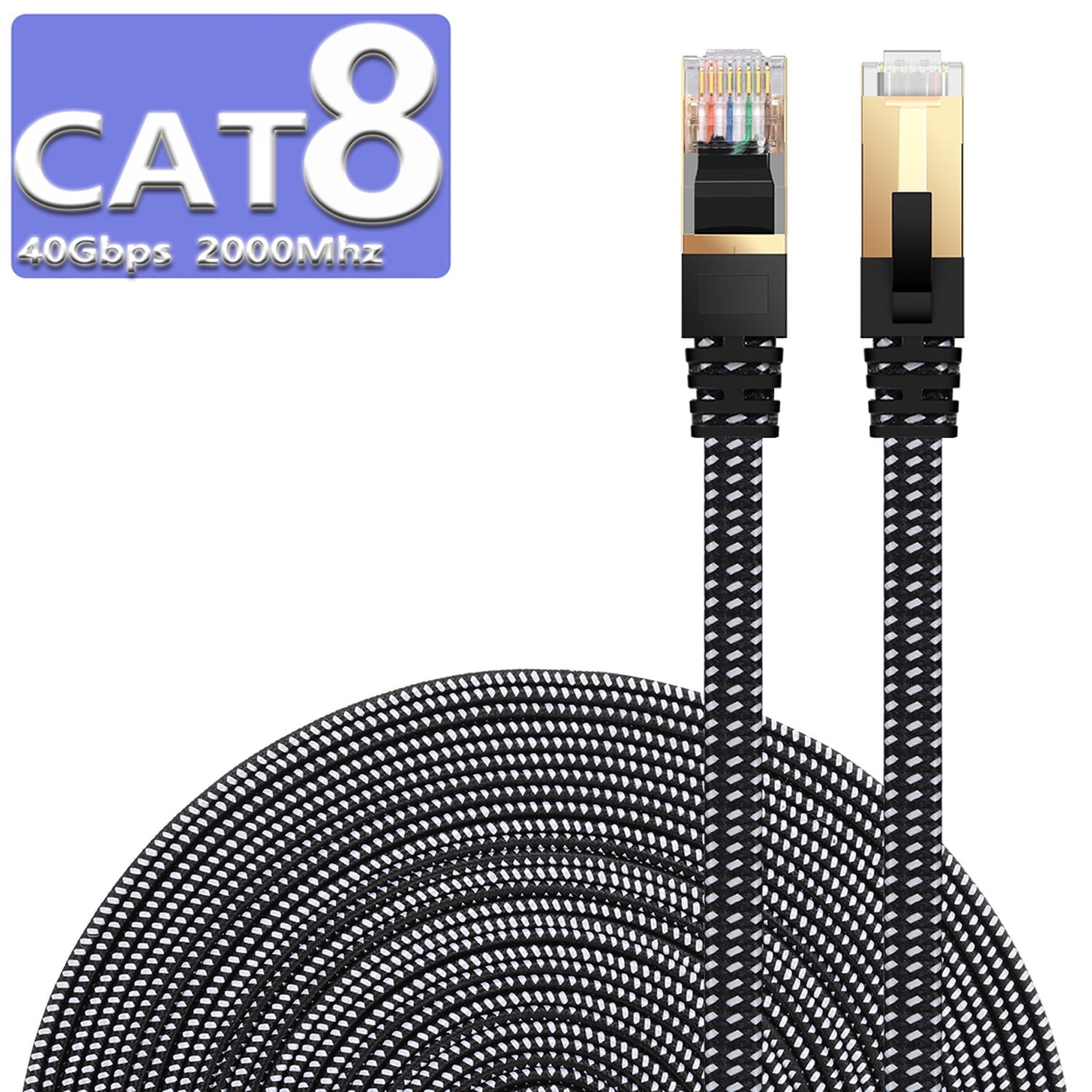
Table of Contents
- Understanding the Core Question: How Fast is Cat 8 Cable?
- So, What Makes One Cat 8 Cable “Faster” Than Another?
- Digging Deeper: Cat 8.1 vs. Cat 8.2 Standards
- When is Cat 8 Cable the Right Choice? (And When Isn’t It?)
- How to Choose a High-Performance Cat 8 Cable: A Buyer’s Checklist
- Conclusion: Speed is a Standard, Quality is the Differentiator
- Frequently Asked Questions (FAQ)
Understanding the Core Question: How Fast is Cat 8 Cable?
Category 8, or Cat 8, is the latest and most powerful generation of twisted-pair copper Ethernet cabling recognized by the ANSI/TIA-568 standard. It represents a monumental leap in performance, specifically designed for data-intensive, short-distance applications. The defining specifications of a Cat 8 cable are:
- Data Rate: A maximum speed of up to 40 Gbps.
- Bandwidth: A massive frequency of up to 2000 MHz (2 GHz).
- Channel Length: A maximum distance of 30 meters (98 feet) to achieve the full 40 Gbps data rate.
To put this into perspective, its 2000 MHz bandwidth is four times that of Cat 6a, allowing it to move an incredible amount of data. This capability is primarily intended to support 25GBASE-T and 40GBASE-T applications, which are most commonly found in switch-to-server connections within modern data centers. While older cables might handle gigabit speeds, Cat 8 is built for the multi-gigabit backbone of professional networks.
| Category | Max Speed | Max Bandwidth | Common Use Case |
|---|---|---|---|
| Cat 5e | 1 Gbps | 100 MHz | Basic Home & Office Networks |
| Cat 6 | 1 Gbps (10 Gbps < 55m) | 250 MHz | Standard Home & Business Gigabit Networks |
| Cat 6a | 10 Gbps | 500 MHz | 10G Networks, Future-Proofing Homes, Businesses |
| Cat 7 | 10 Gbps | 600 MHz | (Not a TIA standard) Data Centers, Shielded Environments |
| Cat 8 | 40 Gbps | 2000 MHz | Data Centers, Server-to-Switch Links |
So, What Makes One Cat 8 Cable “Faster” Than Another?
Since all compliant Cat 8 cables are built for the same 40 Gbps speed, the variation in performance doesn’t come from a higher theoretical top speed. Instead, it comes from a cable’s ability to consistently achieve that speed without errors, data loss, or performance degradation. A poorly manufactured cable may struggle to maintain a stable 40 Gbps connection under load, making it effectively “slower” than a high-quality cable that performs flawlessly.
The true differentiators that ensure a Cat 8 cable delivers its maximum potential are rooted in its physical construction and the quality of its components. These are not just minor details; they are the foundation of a reliable, high-speed network. The two most critical factors are the effectiveness of its shielding and the purity of its copper conductors.
The Critical Role of Shielding in Cat 8 Performance
With a staggering bandwidth of 2000 MHz, Cat 8 cables operate at a frequency that is extremely sensitive to interference. At this level, signal degradation from both internal and external sources can cripple performance. Internal interference, known as crosstalk, occurs when signals from adjacent wire pairs bleed into one another. External interference, or Electromagnetic Interference (EMI), comes from sources like power lines, fluorescent lights, and other network equipment. To combat this, shielding is not optional for Cat 8; it is a fundamental requirement of the standard.
The most common and effective shielding configuration for high-performance Cat 8 cables is S/FTP (Screened/Foiled Twisted Pair). This multi-layer defense system involves:
- Individual Foil Shielding (FTP): Each of the four twisted pairs of wires is wrapped in its own foil shield. This is the first line of defense, effectively eliminating crosstalk between the pairs (ANEXT and FEXT).
- Overall Braid Screen (S): A durable, tinned copper braid is wrapped around all four foil-shielded pairs. This outer screen provides a robust barrier against external EMI, ensuring the signal remains clean from outside noise.
This dual-shielding method ensures superior noise immunity, which is absolutely essential for maintaining the signal integrity required for 40 Gbps data transmission. When choosing a Cat 8 cable, verifying it has S/FTP construction is a primary indicator of its quality and ability to perform under demanding conditions.
Conductor Material: Why 100% Pure Bare Copper is Non-Negotiable
The material used for the conductor wires is the very heart of an Ethernet cable. For Cat 8, the TIA standard mandates the use of 100% Pure Bare Copper conductors. Unfortunately, the market is flooded with cheaper alternatives, most notably Copper Clad Aluminum (CCA). CCA cables have an aluminum core coated with a thin layer of copper. While they may look similar, their performance is vastly inferior.
Compared to pure copper, CCA cables have higher DC resistance, which means the signal weakens more significantly over distance. They are also less flexible, more prone to breaking during installation, and generate more heat, which can be a safety concern in Power over Ethernet (PoE) applications. Using a CCA cable for a Cat 8 application will almost certainly result in failed performance tests, packet loss, and an inability to achieve 40 Gbps speeds. At D-Lay Cable, we only use 100% pure bare copper in all our Ethernet cables to guarantee our products meet and exceed industry standards, providing the reliability our professional clients demand.
Digging Deeper: Cat 8.1 vs. Cat 8.2 Standards
While the TIA defines the single “Category 8” standard, the International Organization for Standardization (ISO) and International Electrotechnical Commission (IEC) have two related standards: Class I and Class II. These specifications are largely harmonized with TIA’s Cat 8, but they differ in one key area: the connector type.
- Cat 8.1 (Class I): This is the standard you will most commonly encounter. It is designed to work with the ubiquitous RJ45 connector and is fully backward compatible with equipment and patch panels designed for Cat 6a and other RJ45-based standards. Its interoperability makes it the practical choice for most data center upgrades and installations.
- Cat 8.2 (Class II): This standard is designed for a different connector, either the TERA or GG45. While these connectors offer slightly improved performance characteristics, they are not compatible with the vast ecosystem of RJ45-based network hardware. This makes Cat 8.2 a niche product used in very specific, closed-loop environments.
For virtually all users, Cat 8.1 is the correct and standard choice. When you purchase a Cat 8 cable, you are almost always getting a Cat 8.1 cable with RJ45 connectors, ensuring it will work with your existing switches, servers, and patch panels.
When is Cat 8 Cable the Right Choice? (And When Isn’t It?)
Understanding the specific application for Cat 8 is crucial to avoid overspending on unnecessary technology. Its incredible power is tailored for a very specific environment.
Ideal Use Cases for Cat 8
The primary home for Cat 8 cable is the Data Center. It was explicitly developed for short-reach, high-speed interconnects in server rooms. Common architectures like Top-of-Rack (ToR) or End-of-Row (EoR) require short patch cords (typically under 10 meters) to connect high-speed servers and storage arrays to network switches. In these environments, Cat 8 provides a cost-effective copper solution for deploying 25GBASE-T and 40GBASE-T networks, future-proofing the infrastructure for the next generation of server hardware without requiring a more expensive move to fiber optics for every link.
Do You Need Cat 8 for Home Networking or Gaming?
For the vast majority of home networks, the answer is a clear no. While it might be tempting to buy the “best” cable available, Cat 8 is significant overkill for a typical home setup. Most residential internet plans top out at 1 or 2 Gbps, a speed that a high-quality Cat 6a cable can handle with ease over distances up to 100 meters. A Cat 8 cable will not make your 1 Gbps internet connection any faster.
A common misconception is that Cat 8 will improve gaming performance by lowering latency or “ping.” This is incorrect. While a stable wired connection is always better than Wi-Fi for gaming, the type of Ethernet cable (beyond a certain quality threshold) has a negligible impact on ping. Your latency is determined by your internet service provider, your geographic distance from the game server, and the quality of your router. A Cat 6a cable will provide the exact same low-latency gaming experience as a Cat 8 cable on a home network.
The only potential exception is for extreme tech enthusiasts or video professionals who operate a 10 Gbps local network for transferring massive files between a Network Attached Storage (NAS) device and a powerful workstation. Even here, Cat 6a is typically sufficient and more cost-effective.
How to Choose a High-Performance Cat 8 Cable: A Buyer’s Checklist
When you’re ready to invest in a Cat 8 cable for a suitable application, your focus should be entirely on quality and compliance, not on marketing claims of extra speed. Use this checklist to ensure you’re getting a cable that will perform to its full potential.
- ✅ Verify Certification: Look for stated compliance with the ANSI/TIA-568 standard. Reputable vendors will provide detailed specification sheets that confirm this.
- ✅ Demand 100% Pure Bare Copper: This is the most important factor. If a seller doesn’t explicitly state “pure bare copper” and instead uses vague terms like “CCA,” “copper-clad,” or just “copper,” be wary. Avoid CCA at all costs.
- ✅ Confirm S/FTP Shielding: Ensure the cable has both individual foil shielding for each pair and an overall braided screen for maximum protection against crosstalk and EMI.
- ✅ Inspect Connector Quality: Look for gold-plated contacts (typically 50 microns) to prevent corrosion and ensure a perfect connection. A snagless boot design is also a valuable feature that protects the connector’s locking tab from breaking.
- ✅ Check the Jacket Rating: For installation within walls or ceilings, ensure the cable has the appropriate fire-safety rating, such as CMR (Riser) or CMP (Plenum).
- ✅ Select a Trusted Supplier: Purchase from a specialized cable supplier that is transparent about their materials and manufacturing processes. A knowledgeable vendor can provide expert advice and stands behind the quality of their products.
Conclusion: Speed is a Standard, Quality is the Differentiator
The search for the “fastest” Cat 8 cable leads to a simple truth: speed is a fixed standard, but quality is a variable. Every compliant Cat 8 cable is designed for 40 Gbps, but only those built with precision, superior materials, and robust engineering will reliably deliver that performance in the demanding environments for which they are intended.
Instead of looking for a cable that claims to be faster, look for one that is built better. The fastest Cat 8 cable is one that features 100% pure copper conductors, robust S/FTP shielding, and quality connectors. It’s an investment not just in raw speed, but in the reliability and stability of your network’s most critical connections, ensuring maximum uptime and performance for years to come.
Frequently Asked Questions (FAQ)
- Q1: Can I use a Cat 8 cable with a Cat 6 port?
- A: Absolutely. Cat 8 cables are fully backward compatible with older Ethernet standards. When you connect a Cat 8 cable between a device with a Cat 6 port and another device, the connection will simply run at the speed of the slowest component, which in this case would be the 1 Gbps speed of the Cat 6 port.
- Q2: What is the main disadvantage of Cat 8 cable?
- A: The primary disadvantages are its significantly higher cost and shorter maximum channel length (30 meters) compared to other categories like Cat 6a (100 meters). Additionally, its thickness and rigidity, due to extensive shielding, can make it more challenging to route and install in tight spaces.
- Q3: Will a Cat 8 cable reduce my gaming lag?
- A: It is highly unlikely. On a typical home internet connection, a Cat 8 cable will offer no advantage in latency (ping) over a good quality Cat 6a cable. Ping is primarily influenced by your internet service, the distance to the game’s servers, and your router’s performance, not the cable’s maximum bandwidth beyond what your connection can use.